How to Format a Resume for Tech Jobs
TL;DR: You’re on the couch with your laptop open, staring at your resume and wondering how to make it look good. This article walks you through a simple format that works for beginners and career changers. It helps you organize your experience (even if most of it isn’t in tech yet) and keep it ATS-friendly. By the end, you’ll have a clean resume that shows hiring managers that you’re ready for a tech career.
Recruiters review resumes in seconds, and a lot of companies use software to sort them before they reach a human eye. That’s why formatting matters so much for tech jobs.
Good formatting doesn’t mean fancy design. Instead, focus on a simple layout, clear sections, and consistent styling that’s easy for both software and humans to scan.
If you’re switching into tech, then this guide is your new best friend. It explains exactly how to structure your resume so it passes all the filters while highlighting your best qualities.
Table of Contents
- Essential Structure of a Tech Resume
- How to Format Your Skills Section So It’s Actually Useful
- Formatting Your Experience When Most of It Isn’t in Tech
- Where and How to Add Tech Projects
- Making Your Resume ATS-Friendly
- How to Adapt This Format as You Grow in Tech
- Next Steps If You Want Extra Support

Is Tech Right For you? Take Our 3-Minute Quiz!
You Will Learn:
☑️ If a career in tech is right for you
☑️ What tech careers fit your strengths
☑️ What skills you need to reach your goals

Essential Structure of a Tech Resume
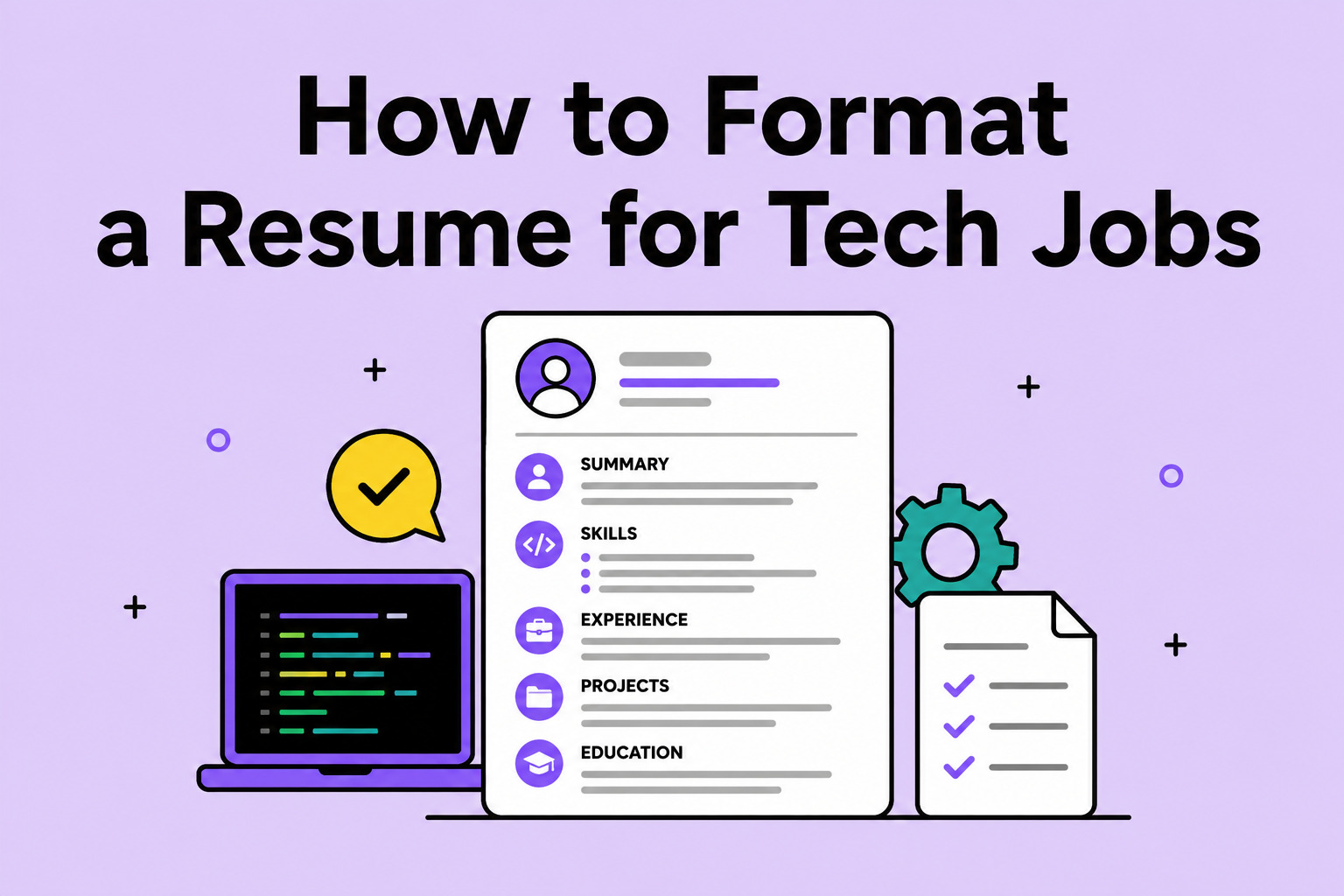
Most tech resumes include the same core sections:
- Contact Info: Include your name, email, phone, and location.
- Summary: Share two or three sentences about who you are and what you’re looking for.
- Skills: List the tools, languages, and platforms that you know.
- Experience: Discuss your work history. It’s okay if most of it isn’t in tech yet.
- Projects: Add your coursework, personal projects, or anything you’ve built. You could also add links to your portfolio or GitHub.
- Education: Don’t forget to add degrees, bootcamps, or any certifications you’ve achieved.
You want to put your strongest evidence that you’re a good fit for the job at the top of your resume. If you’re new to tech, place your skills and project sections near the top. Right now, this shows your abilities more than your work history.
A one-page resume works well if you’re new to tech or don’t have a long work history yet. Once you’ve gathered a few years of tech-specific experience, more pages are reasonable. If you do go to two or more pages, make sure that extra space is filled with relevant projects and results, not filler.
There’s no specific “correct” order of these sections. What counts is putting your most relevant material where it can easily catch the recruiter’s eye. Usually, you want to add it to the top third of the page.
How to Format Your Skills Section So It’s Actually Useful
Your skills section is often one of the first places recruiters ( and their software) look for relevant keywords. Instead of a long, unstructured list, group your skills by category:
- Languages: Python, JavaScript, SQL
- Tools & Platforms: Git, Figma, Google Analytics
- Frameworks: React, Django
Keep this section honest and focused. List the skills you actually use and want to use in your next role. A well-organized list of 10-15 relevant skills goes a long way.
Formatting Your Experience When Most of It Isn’t in Tech
If your last job was in retail, healthcare, teaching, or anywhere other than tech, that’s more common in the industry than you think. Your experience still counts. You have transferable skills, and you can use formatting to make those strengths stand out.
Start with the basics of each role: job title, company, dates, and your job responsibilities. But you want to shift the focus of those bullets from day-to-day duties to what you actually accomplished. Highlight anything that involves problem-solving, systems, or teamwork.
Here’s what that shift can look like:
Before: “Responsible for scheduling staff and handling customer complaints.”
After: “Built and maintained a weekly staffing system for a team of 12. Also resolved customer issues by identifying recurring problems and proposing process fixes.”
The second version makes it easier for a tech hiring manager to see systems thinking and problem-solving, which are skills they prioritize in candidates.
When listing older or less relevant roles, keep them brief: job title, company, dates, and one-line about the role. Save your space for the roles that connect more clearly to the job you want now.
Where and How to Add Tech Projects
Projects are one of the best ways to showcase your skills and capabilities. This is especially important if your work history doesn’t include tech roles. Projects can look like portfolio pieces, coursework, a small app that you might’ve built, an automation setup, or a data-analytics project.
Here are two solid options for where to put them:
- A dedicated “Projects” section: You can list them with a title, one-line description, the tools you used, and a link if you have one.
- Folded into your “Experience” section: If a project came out of a job or an internship and is relevant to your target role.
If you have two or three strong projects, then a dedicated section can make it easy to find. If you’re short on projects, you can list even one within your existing experience section.
Is Tech Right For you? Take Our 3-Minute Quiz!
You Will Learn:
☑️ If a career in tech is right for you
☑️ What tech careers fit your strengths
☑️ What skills you need to reach your goals
Making Your Resume ATS-Friendly
An Applicant Tracking System (ATS) is software that many companies use to scan resumes before a person ever reviews them. If the software has trouble reading your resume, then it might never pass it on to a real human.
Here are some tips to avoid this scenario:
- Use standard section headers like “Experience” and “Skills” instead of creative alternatives.
- Stick to simple fonts and avoid tables, columns, or text boxes, since some systems can’t read content inside them.
- Save your resume as a PDF file unless the job posting says otherwise.
- Avoid images, graphics, or icons that replace text.
For keywords, mirror the language used in the job posting. If the posting says “project management,” use that exact phrase in your resume. But remember not to overdo it. When you repeat the same keyword in every bullet point, it sounds unnatural.
It also helps to make a slightly different version of your resume for each application. You don’t need to rewrite the whole thing. Just adjust the skills and keywords to match the specific job description. It takes a few extra minutes but can make a real difference in making your resume pass the first filter.
How to Adapt This Format as You Grow in Tech
As you gain experience in tech, your resume should shift to highlight it. Once you’ve landed one or more tech roles, your experience section will likely become your strongest proof, so it can move above skills and projects.
Get in the habit of revisiting your resume every few months, even when you’re not actively job hunting. A fresh pair of eyes can help avoid common resume mistakes. You can also add new projects, trim anything that doesn’t fit where you’re heading, and adjust the formatting as you learn what works.
Next Steps If You Want Extra Support
A well-formatted resume comes down to a few key pieces: clear structure, relevant skills, and strong projects. All backed up by your strengths and experience.
Our Get Hired program is more than a formatting checklist. It offers live support and resume reviews to help you feel confident in your job search. When you’re ready, open your laptop and start applying this format to your resume. We’re always here if you need more support as you change careers.